The rise of the DIY movement has changed the way people approach fabrication, empowering hobbyists, makers, and small business owners to bring their creative ideas to life. With the growing accessibility of digital tools like CNC routers, laser cutters, and vinyl plotters, more and more people are turning to digital fabrication for home improvement, custom decor, and entrepreneurial ventures. These tools, once reserved for professionals, are now within reach thanks to advances in affordable hardware and easy-to-use software.

Central to this trend is the growing popularity of cut-ready designs-prepared digital files optimized for seamless use with various cutting tools. These files save time, simplify the fabrication process, and make advanced design techniques accessible to those without professional design skills. With a little equipment, anyone can create intricate projects, from custom furniture to personalized gifts.
This article explores the concept of cut-ready patterns, their benefits, where to find them, and how to customize them for specific projects. We'll also look at some of the challenges associated with using these files and how to overcome them to ensure a smooth DIY experience.
What are Cut-Ready Designs?

Cut-ready designs are pre-made digital files formatted for use with fabrication tools such as CNC machines, laser cutters, and vinyl plotters. These files are designed to be machine-compatible, meaning they contain the precise paths, layers, and settings needed for accurate cutting, engraving, or scoring. They eliminate the need for users to build designs from scratch, allowing even novice designers to create stunning physical projects with minimal effort.
Common file types for cut-ready designs
Several file formats are commonly used for cut-ready projects, each serving a specific purpose and offering varying degrees of flexibility:
- SVG (Scalable Vector Graphics): A popular format for laser cutters and vinyl plotters, SVG files allow infinite scalability without loss of detail.
- DXF (Drawing Exchange Format): Commonly used in CNC and laser cutting, DXF files support complex paths and engineering drawings.
- PDF (Portable Document Format): Some machines can read vector-based PDFs, making this format useful for multipurpose designs.
- AI (Adobe Illustrator): Often used for advanced designs that require detailed modifications, although it may need to be converted to other formats for machine compatibility.
Free vs. paid cut-ready files
There are both free and paid sources of cut-ready files, each catering to different needs:
- Free files: Found on community sites and forums, these are great for personal use or experimentation, but may not always meet the highest design standards.
- Paid files: Available through specialized websites and marketplaces, these often offer higher-quality, vetted designs suitable for professional or commercial use. Paid designs also come with licenses, reducing the risk of copyright infringement.
Advantages of Using Prepared Cut-Ready Files
Cut-ready designs offer several advantages that appeal to hobbyists, small businesses, and anyone new to digital fabrication.
1. Save time and reduce errors
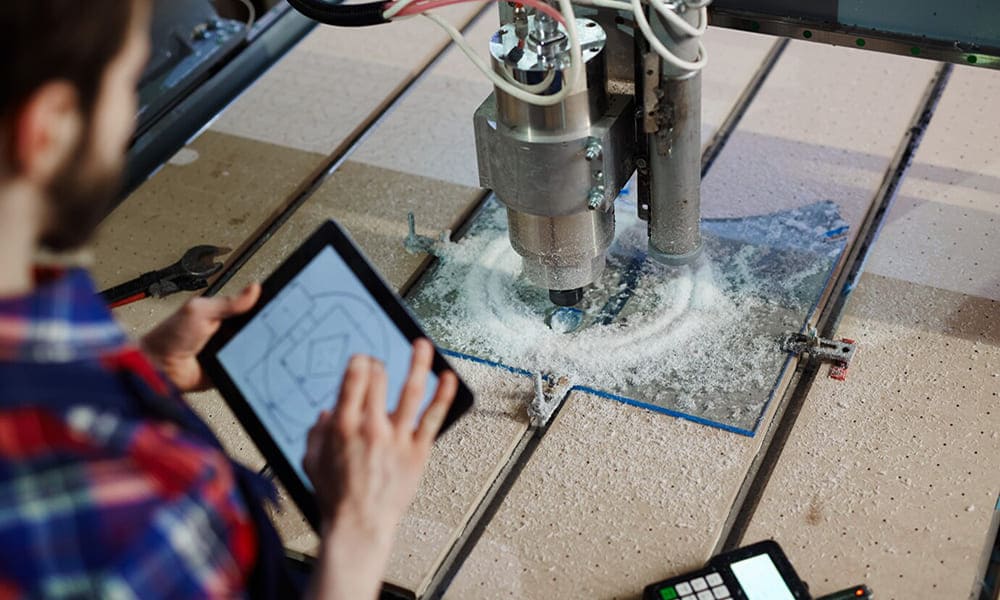
Creating an accurate, machine-ready design from scratch can be time-consuming, especially for complex projects. Pre-engineered files eliminate this burden by providing ready-made designs that users can implement immediately. These files have typically been tested to ensure smooth operation, minimizing the risk of errors during the cutting or engraving process.
2. Simplify the learning curve for new users
Digital manufacturing tools often come with a steep learning curve. Beginners may struggle with understanding CAD software or setting up appropriate machine parameters. Cut-ready files ease this transition by providing beginner-friendly designs that allow users to familiarize themselves with the cutting process without having to worry about design complexities.
3. Instant access to popular designs
Cut-ready files provide instant access to templates for popular DIY projects, such as home décor items, furniture pieces, and custom signage. These files help makers create professional-quality products without specialized design skills, making it easier to bring creative ideas to life.
Where to find high-quality cut-ready files
There are several platforms and online communities where users can access both free and high-quality cut-ready files.
- Etsy: Known for handmade and customizable products, Etsy offers a wide range of cut-ready designs, including patterns for laser-cut jewelry, wooden puzzles, and holiday decorations.
- Thingiverse: Primarily a 3D printing community, Thingiverse also offers cut-ready files for laser cutters and CNC machines.
- Cutrocket: A platform dedicated to sharing CNC-compatible files, with options ranging from beginner projects to complex furniture templates.
- MakeCNC: Offers a wide variety of DXF files for CNC routers and laser cutters, including plans for toys, models, and household items.
In addition to these platforms, many DIY enthusiasts share files on forums, Facebook groups, and Reddit communities that focus on specific tools or projects.
Preparing and Modifying Cut-Ready Files for Specific Projects
Cut-ready files are designed to work right out of the box, but some customization may be required to meet the needs of a specific project. Here are some tips for effectively preparing and modifying these files.

1. Adjusting Size and Scale
Scaling designs properly is critical, especially when working with different materials. Most cut-ready files are designed with specific dimensions in mind, so resizing them without changing the proportions ensures that the integrity of the design is maintained.
2. Customizing Layers for Different Operations
Many machines can perform multiple operations, such as cutting, engraving, and scoring. Cut-ready files often contain separate layers for these operations, and users may need to assign the correct settings to each layer based on the material and desired result. For example, engraving layers should use lower power settings than cutting layers.
3. Managing file compatibility issues
Different tools have unique file requirements. For example, a laser cutter may accept SVG files, while a CNC router requires DXF or G-code. When switching between machines, converting files while preserving paths and layer information ensures that no part of the design is lost or corrupted.
DIY projects made easy with cut-ready designs
Cut-ready files make it easy to jump into a variety of DIY projects. Here are a few examples of popular projects that can be completed with minimal setup:
1. Wooden puzzles and toys

Laser-cut wooden puzzles are a favorite among hobbyists. These projects range from simple children's toys to intricate 3D models and puzzles.
2. Signage and Holiday Decorations
Personalized signs and seasonal decorations are popular applications for laser cutting. Cut-ready templates make it easy to create custom wall art, ornaments or banners.
3. Modular furniture and storage solutions
CNC routers are ideal for cutting furniture components and storage units from plywood or MDF. Many cut-ready designs include modular templates that allow users to create shelving, tables or chairs without traditional woodworking skills.
4. Creative Garden Tools and Decor
From decorative plant markers to trellises, garden enthusiasts can enhance their outdoor spaces with cut-ready designs. CNC and laser cutters make it easy to cut intricate patterns into wood or metal for unique garden décor.
Challenges of using cut-ready files and how to overcome them
While cut-ready designs simplify the manufacturing process, they are not without their challenges. Here are some common issues users may face and strategies for overcoming them:
1. Scaling and Material Thickness Mismatch
Many cut-ready files are designed for specific material thicknesses. When working with different materials, users must adjust the kerf compensation to match the cutting width of the laser or router. Failure to do so may result in loose or ill-fitting parts.
2. Licensing and copyright issues

Not all cut-ready files are free for commercial use. Users who plan to sell products made from these files must review the license agreement to ensure compliance with copyright laws.
3. Non-optimized files with broken paths
Occasionally, cut-ready files contain errors, such as overlapping paths or open curves, that can cause problems during cutting. Before sending the file to the machine, users should check for broken paths and use vector editing software to clean up any errors.
Conclusion
Cut-ready designs open up a world of possibilities for do-it-yourselfers and fabricators, offering an easy way to create professional-quality projects without extensive design experience. These pre-designed files streamline the fabrication process, saving time and reducing errors, while providing access to a wide range of templates for everything from home décor to modular furniture.
By exploring platforms like Etsy and Cutrocket, customizing designs to meet specific needs, and troubleshooting common problems, makers can fully harness the power of digital fabrication. Whether working on personal projects or starting a small business, cut-ready designs make it easy to bring creative visions to life. As more people embrace digital tools, the DIY movement will continue to thrive, encouraging users to explore, share and innovate with their own unique creations.